
NES Emulator for Apple platforms
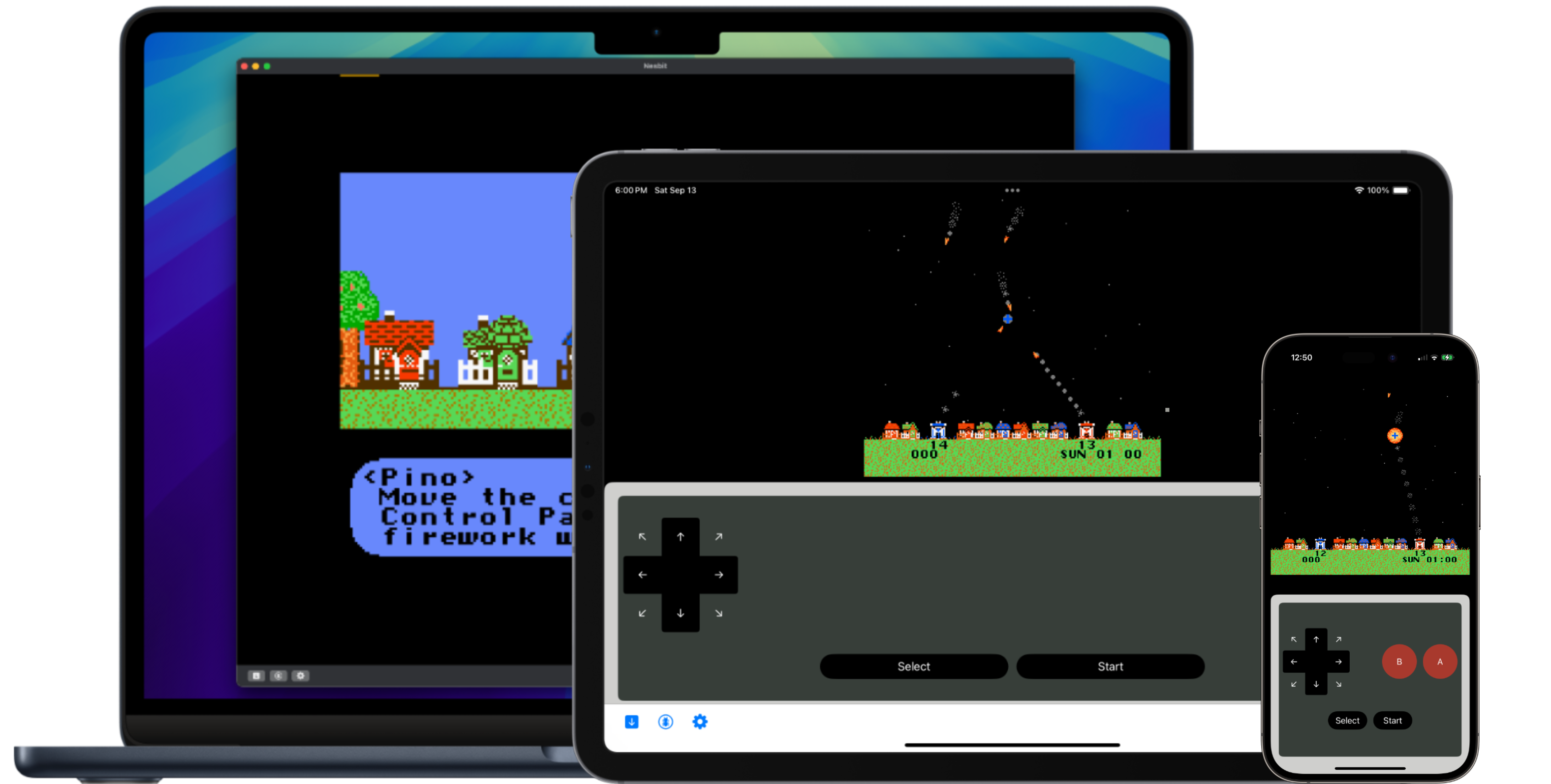
Nesbit is a toy NES emulator and debugger, built from scratch in Swift, running on iOS, iPadOS, and macOS.
Try it Out!
Nesbit is open source under the MIT License. You can check out the source code on Worktree or install a build directly:
How do I use Nesbit?
Once you've started up Nesbit, hit the Insert Cartridge button and select a .nes file to load a game.
Once a game is loaded, you can find and edit keyboard control mappings on the Settings screen, accessed from the gear button in the bottom toolbar. Clicking on the game picture hides and shows the toolbar.
What games can I play?
Nesbit supports a small subset of NES games - only those using mappers 0 or 1. You can download the open source game Thwaite or my extremely basic implementation of Snake if you don't have any ROMs lying around!
Features
- Runs at 60 FPS on M1 Macs and newer, and iPhone 14 Pro and newer. (It may run well on older devices; these are the ones I have available for testing.)
- Plays sounds from all four synthesized channels
- Provides an on-screen virtual controller on iOS and iPadOS
- Allows using hardware keyboards and gamepads as controllers on all platforms
- Automatically restores your state from the last time you played a given game
Debugger
Starting with Nesbit 0.4.0, there is a fairly fully-featured debugger available on iPhone, iPad, and Mac, with support for ROMs using mapper 0.
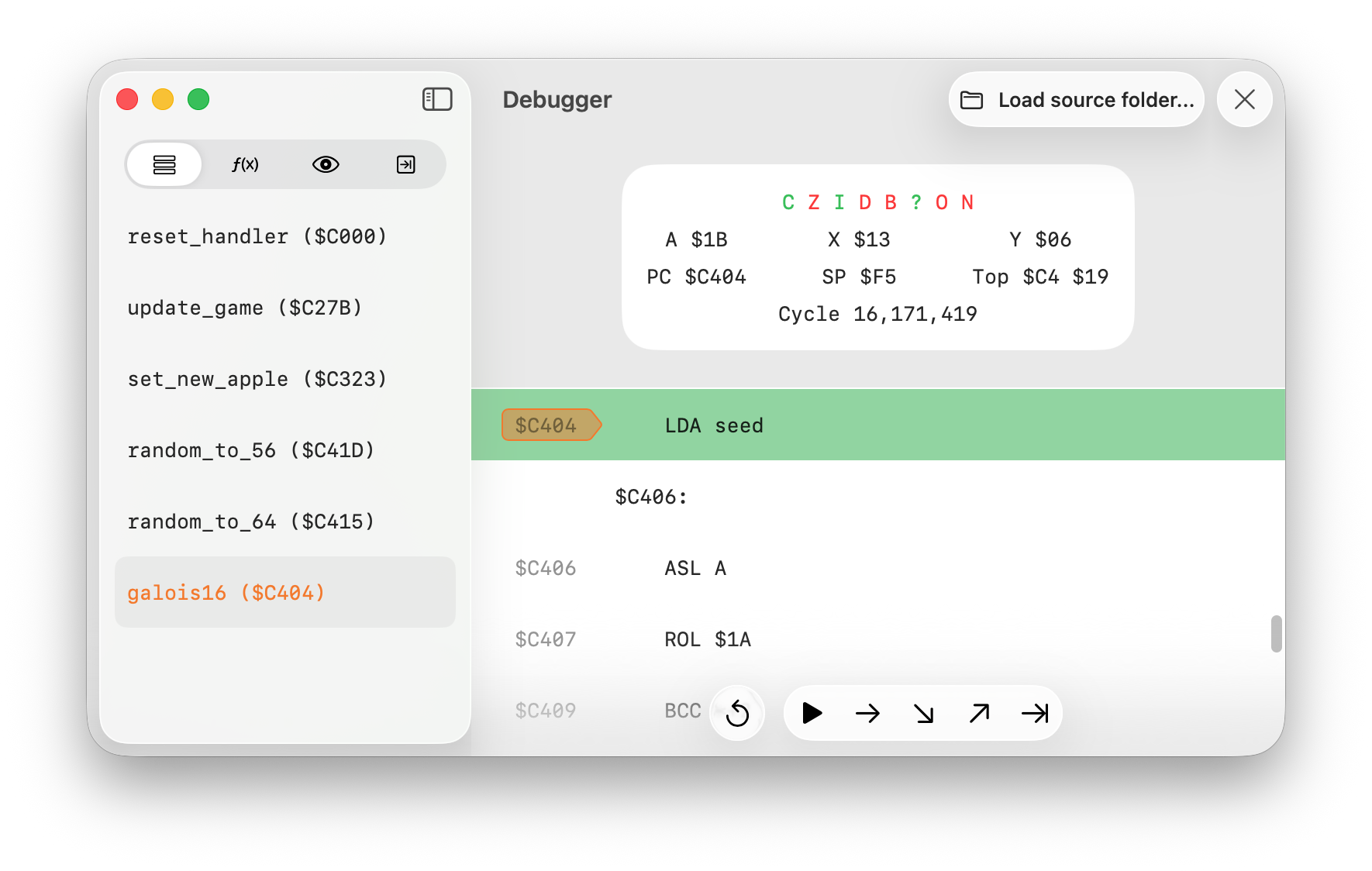
- Shows CPU status including registers and flags
- Displays disassembly for all instructions that are statically known to be reachable from any already-executed instruction. Shows labels instead of raw addresses for system-defined locations (like
PPUCTRLfor$2000) and any that you configure using the context menu in the disassembly or sidebar. - Sidebar tabs for breakpoints, memory watches, call stack, and a list of discovered subroutines
- Standard debugger commands like step over, in, and out, and run to a given instruction
- Loads labels and subroutine names from
.dbgfiles generated by the ca65 assembler. Use the "Load source folder" button to choose the folder that contains your.dbgfile (it should be named the same as your ROM file). On macOS, this file will automatically be loaded each time you load your ROM in the future. On iPhone and iPad you'll have to load it manually each time.
Limitations
Since Nesbit is an in-progress side project, it doesn't support the full library of NES games, and is missing a few features of the NES hardware. For example, it currently only supports ROMs using mappers 0 or 1 (the debugger only supports mapper 0), only emulates one controller, doesn't play sampled audio, and doesn't implement illegal CPU instructions that some software may use to achieve specific effects.
Open Source
You can find the source code on Worktree, and I'm writing about my experience with Nesbit on my blog and on Mastodon.
Hire me!
I'm Jason, and I'm looking for work! I have 13+ years of experience writing software for Apple platforms, from line-of-business apps to consumer photo management. You can find out more about me, my portfolio, and my resume (PDF) on my website.